
What a portable projector does in everyday use
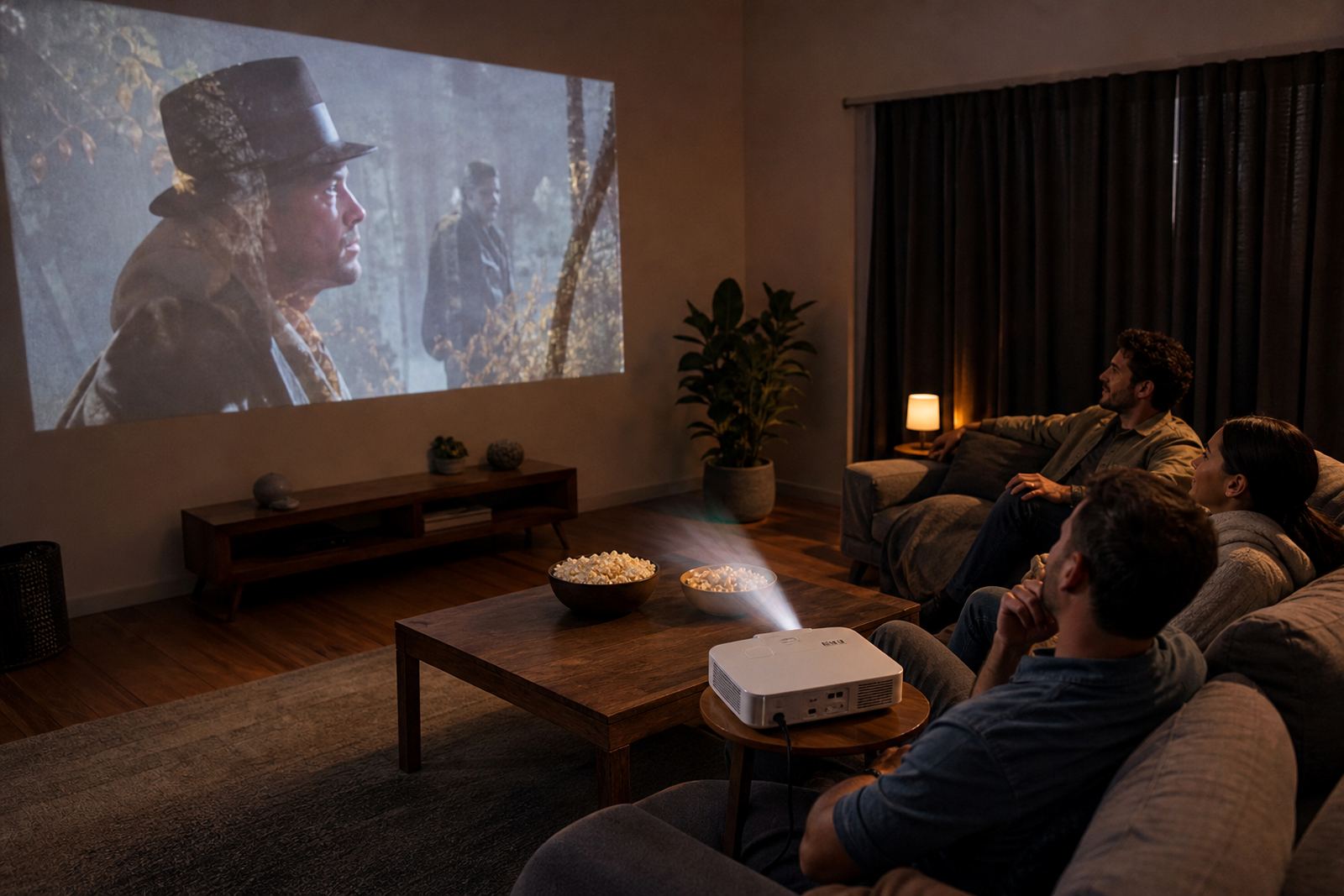
A portable projector turns a plain wall or screen into a viewing area for films, shows, games and presentations. For many homes in Midrand, Johannesburg and Pretoria, it is a handy option when space is tight or when you want a bigger picture without mounting a TV on the wall.
Most models in this category use LED light sources, a built in speaker and simple input ports for phones, laptops, streaming sticks or media players. They are also useful during load-shedding when paired with a power bank or inverter setup, so long as the unit supports low wattage operation and your source device also has power.
- Good for movie nights, home learning and light office use
- Works on a wall, projector screen or smooth white surface
- Useful for small spaces where a full TV is not practical
For casual streaming, the main benefit is flexibility. You can move it from the lounge to the bedroom, take it to a braai area, or pack it for a presentation at another location without much effort.
Sizes, brightness and screen options to compare
Portable projectors come in different sizes and brightness levels, so it helps to match the unit to the room. Smaller pocket style models are easy to carry and suit dark rooms, while larger compact models usually give better picture brightness and sound. If you want to use it in a lounge with some ambient light, choose a stronger brightness rating rather than the lightest unit available.
Screen size is usually measured by the throw distance and the projection range. A short throw setup can project a larger image from a shorter distance, which is useful in apartments or smaller rooms. If the unit is mainly for backyard viewing in Cape Town or Durban, consider a model with better brightness and a wider adjustment range, since coastal humidity and evening air can affect comfort and visibility more than the projector itself.
- Mini models: easy to carry, best for darker rooms
- Mid-size models: better balance for home use and presentations
- Higher brightness models: better for rooms with some light
When choosing a screen size, remember that bigger is not always better. A clear 80 to 100 inch image can feel comfortable in many homes, while very large images may need a darker room and a longer throw distance. If the projector has keystone correction, it helps square the image when the unit sits a little off centre.
Where it suits best around the home and office
A portable projector suits a range of spaces, from a bedroom wall to a small boardroom. It is useful for casual entertainment, quick training sessions, product demos and family events. In Johannesburg and the East Rand, many buyers use it for shared living spaces where a television would take up too much room. In Gqeberha and the coastal areas, the lighter body makes it easier to move between indoor and covered outdoor areas.
It also works well for gift giving, especially when someone wants a practical item that can be used across different settings. For corporate gifting, it is a strong option for small teams, sales presentations or staff appreciation packs, although you should confirm the receiving side has a suitable wall or screen.
- Home cinema and casual streaming
- School work, lessons and small group training
- Sales meetings, pitches and product demos
- Weekend trips, guest rooms and outdoor setups
For best results, place the projector on a stable table or stand. Avoid soft surfaces like couches or uneven patio chairs, because even small movement can affect focus and picture alignment.
Setup, cables and power needs before you switch on
Portable projectors are generally simple to set up. Most units need a power connection, a video source and basic focus adjustment. Some support HDMI, USB or wireless connection, while others may need an adapter for a phone or tablet. If you are ordering for a household with older devices, check the input options carefully before you buy.
No gas is needed for this product. It runs on electricity, usually from a wall socket or an external battery source if the model supports that. For load-shedding planning, check the power draw in watts and compare it with the inverter or battery capacity you already have. A low-wattage model can be easier to keep running during short outages, but the media source and internet router may also need backup power.
- Check the input ports on your laptop, phone or streaming device
- Confirm whether the projector supports screen mirroring
- Measure the room so you know the throw distance available
- Make sure the sound output suits your space, or use external speakers
If you need to use it for business, test the setup before the meeting starts. That gives you time to sort out the picture size, sound level and cable routing without rushing.
Care, cleaning and servicing over time
Good care will help the projector last longer and keep the picture clear. Keep vents free from dust and do not place the unit too close to a wall or curtain. If the projector has a filter, check the manual for cleaning intervals. In a dusty home office or near a kitchen, the vents can clog faster than expected.
Wipe the outer case with a soft dry cloth and avoid harsh liquids. If you use the projector in a coastal area with humidity, allow it to cool before packing it away. Sudden temperature changes can lead to condensation, so it is better to let the unit settle before storing it in a bag or cupboard.
- Let the unit cool before moving it after use
- Store it in a dry place, away from steam and direct sunlight
- Keep cables coiled neatly to prevent damage
- Check the lens cover or lens area for dust before each use
If the image starts looking dull, check the brightness setting, the room lighting and the lens first before assuming the unit has a fault. Small issues are often caused by setup, not by the projector itself.
What to check when ordering a portable projector
Before placing your order, check the projection type, brightness, native resolution and input options. These details matter more than a fancy product name. A unit with the right inputs and enough brightness for your room will usually give better day to day value than a more expensive model with features you do not need.
Also confirm the accessory list. Some projectors include a remote, power cable and basic AV leads, while others may need you to buy a separate stand, screen or adapter. If you plan to use it for gift wrapping or corporate gifting, make sure the packaging is neat and that any extra items are included in the cart.
- Brightness rating and room light conditions
- Native resolution for video clarity
- Port options for laptops, phones and media players
- Sound output and whether external speakers are needed
- Weight and size if you plan to carry it often
If you need help deciding, our team can assist with product sourcing, wishlist support, order tracking and delivery queries. For customers in Midrand, Johannesburg, Pretoria, Cape Town, Durban and Gqeberha, courier delivery is arranged across South Africa with practical support from order to arrival.
Key facts
| Product type | Portable LED projector |
|---|---|
| Brightness | Up to 2,500 ANSI lumens depending on model |
| Resolution | Native 720p or 1080p options |
| Projection size | 30 to 120 inches depending on throw distance |
| Connectivity | HDMI, USB, wireless screen mirroring |
| Power | AC mains, some models support external battery use |